
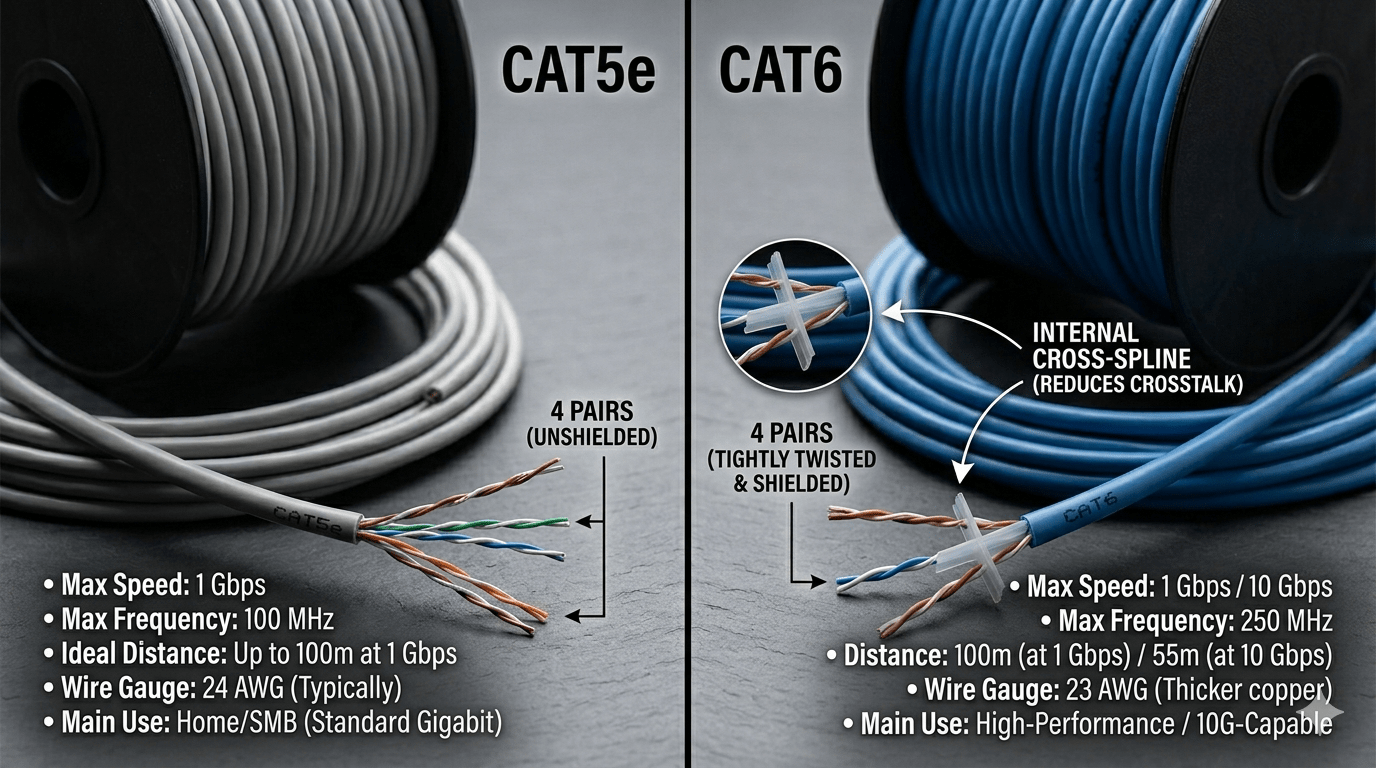
The regret always shows up the same way. Someone pulls up their NAS transfer speeds, sees a ceiling they didn’t expect, and then realizes the cable in the wall — the cable they ran themselves three years ago during a renovation — is the one thing in their network they can’t swap out on a Tuesday afternoon. The Cat5e vs Cat6 decision sounds like a spec sheet argument. It isn’t. It’s a question of how much you want to bet on what your network looks like in five years.
Quick answer: Cat5e supports Gigabit Ethernet (1Gbps) up to 100 meters and handles most home and small office workloads without issue. Cat6 supports 10Gbps up to 55 meters and reduces crosstalk through a physical internal separator. For any new installation, the price difference — typically $0.10–0.15 per foot at retail — makes Cat6 the right default in almost every scenario.
 IMAGE: Side-by-side cross-section photo of Cat5e and Cat6 cable ends
What actually separates Cat5e from Cat6 — beyond the label
Both cables use the same RJ-45 connectors. Both look nearly identical from the outside. The real differences are structural, and they compound in ways that matter more over time than they do on day one.
Cat5e — “e” for enhanced — was a refinement of the original Cat5 standard that tightened twist ratios across all four pairs to push reliable Gigabit support. It works well. Hundreds of millions of feet of it are running in production right now without issue. But pair separation in Cat5e relies entirely on that twist rate, with nothing physically keeping adjacent pairs from influencing each other. In a clean, low-interference environment, that’s fine. In a wall shared with electrical runs, it’s a variable you’re just hoping goes your way.
Cat6 adds a plastic spline — an X-shaped separator — that runs the length of the cable and keeps each twisted pair in its own physical lane. That’s the reason Cat6 carries a 250 MHz bandwidth rating versus Cat5e’s 100 MHz, and it’s the reason Cat6 performs measurably better in electrically noisy environments. The spline isn’t a marketing feature. It’s a physical solution to a real interference problem.
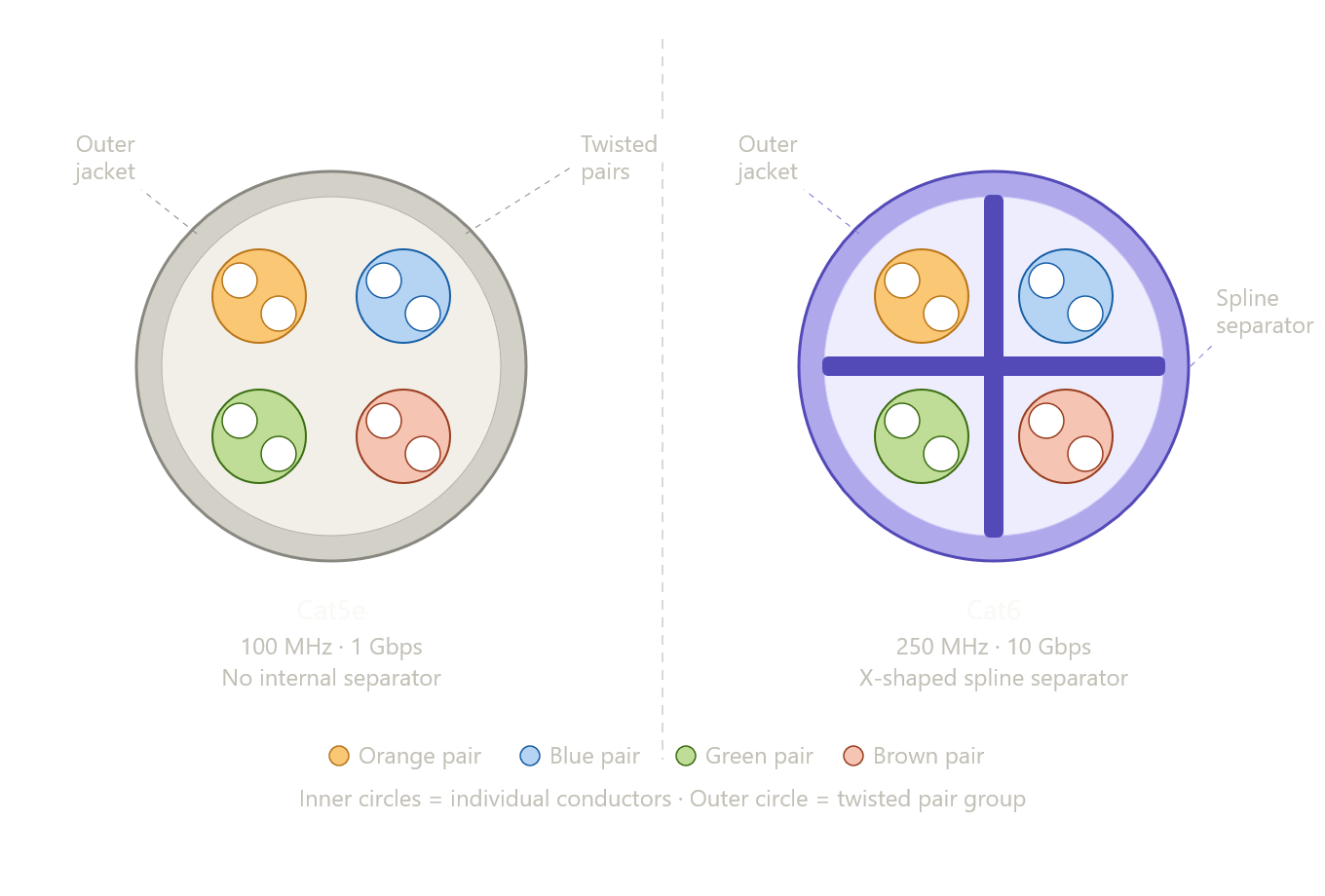 DIAGRAM: Cross-section comparison — Cat5e with four free-floating twisted pairs vs Cat6 with four pairs separated by a plastic X-shaped spline.
Can Cat5e handle Gigabit? Yes — here’s why that answer misses the point
Most guides frame this debate as “Cat5e is fine for Gigabit, therefore Cat5e is fine.” That’s technically accurate. It’s also a bit like saying a 15-year-old roof is fine because it hasn’t leaked yet.
The question worth asking isn’t whether Cat5e handles today’s speeds. It does. The question is whether cable — the one component in your network that lives inside the wall — should be optimized for today’s network or for every network you’ll run over the next fifteen to twenty years. Switches get swapped every few years. Routers get upgraded. NICs get replaced. The cable stays put. Locking that cable to a 1Gbps ceiling because it’s cheap today is the kind of decision that feels smart until it doesn’t.
Consumer networking has already moved past the Cat5e ceiling at the device level. 2.5GbE NICs ship standard in many motherboards. NAS units from QNAP and Synology include 2.5GbE or 10GbE ports on mid-range models. Wi-Fi access points like the UniFi U6 Pro use a 2.5GbE uplink. Cat5e can’t carry any of that. Cat6 can handle all of it up to 55 meters — which covers the overwhelming majority of residential and small office runs.
The 55-meter detail nobody puts in the headline
Cat6’s 10Gbps rating comes with a distance limitation: it only applies at runs up to 55 meters (roughly 180 feet). Past that, you’re back to 1Gbps — same as Cat5e. For most home installations this ceiling is invisible, since a run from a utility closet to a bedroom rarely exceeds 30 meters. But in larger homes, detached structures, or small commercial spaces, it’s worth knowing before you pull. Cat6A extends the 10Gbps distance to a full 100 meters, though it comes with a stiffer cable, larger diameter, and noticeably higher cost.
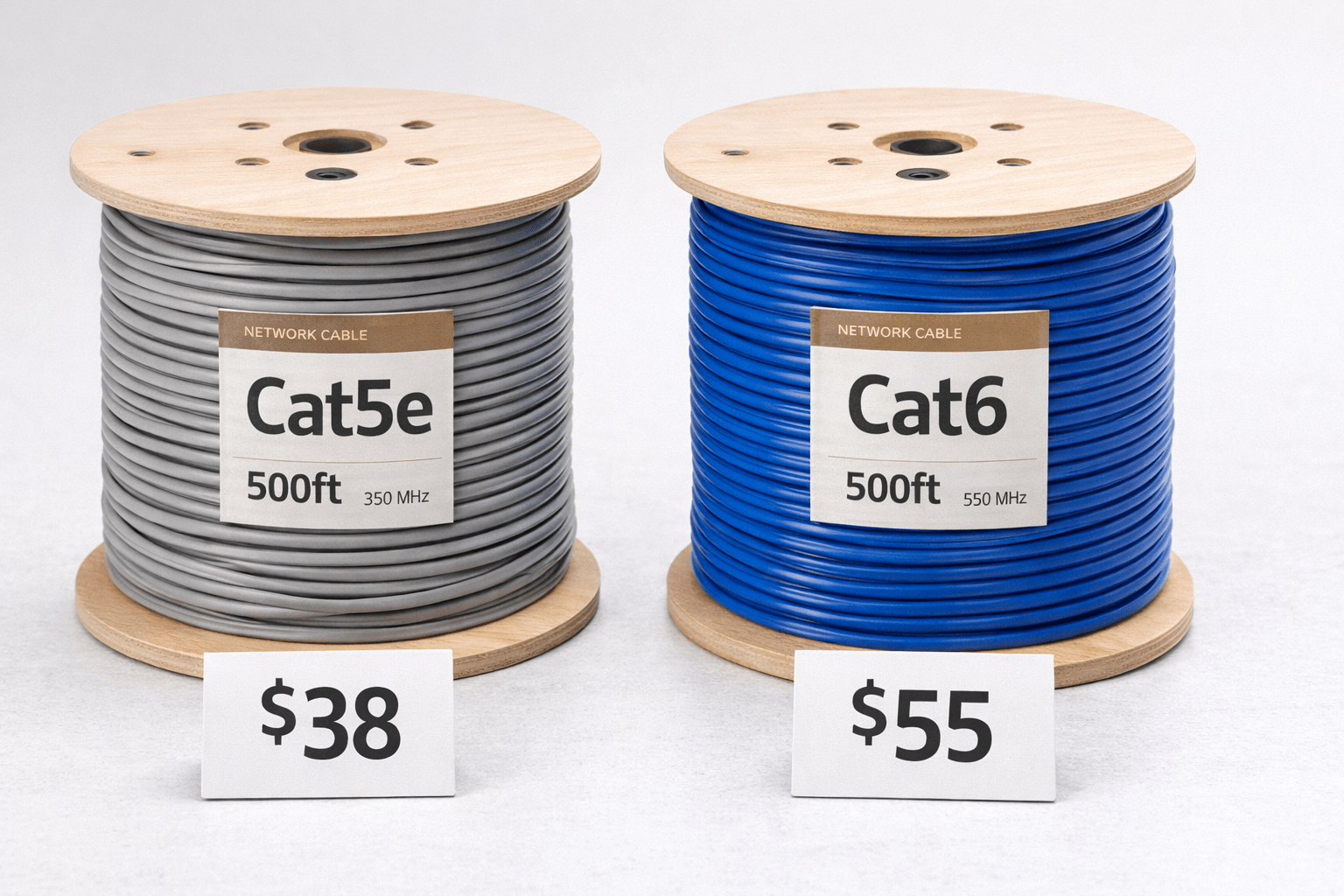
IMAGE: A cost comparison of a roll of cat5e vs cat6 networking cable.
Cat5e vs Cat6: the numbers side by side
|
Spec |
Cat5e |
Cat6 |
Cat6A |
|
Max bandwidth |
100 MHz |
250 MHz |
500 MHz |
|
Max speed (short run) |
1 Gbps |
10 Gbps |
10 Gbps |
|
10Gbps max distance |
N/A |
55 meters |
100 meters |
|
Internal separator |
No |
Yes (spline) |
Yes (spline) |
|
Typical bulk price/ft |
$0.12–0.20 |
$0.22–0.35 |
$0.45–0.65 |
|
Cable diameter |
~0.204″ |
~0.240″ |
~0.354″ |
|
Best use case |
Replacing existing runs |
New home/office installs |
Long commercial runs |
The price gap looks significant in per-foot terms until you price out an actual installation. A 500-foot pull — enough to wire a substantial portion of a house — costs roughly $60–100 in Cat5e and $110–175 in Cat6. That $50–75 difference, spread across a cable run that may last two decades, is not a meaningful cost argument against Cat6. It’s less than the cost of a single replacement switch.
The cases where Cat5e is genuinely the right answer
Let’s be direct about this: there are scenarios where Cat5e makes sense, and pretending otherwise doesn’t help anyone.
If you’re replacing a single damaged or failing run in a building that’s already wired with Cat5e throughout, pulling one Cat6 run doesn’t meaningfully improve anything. You’d have a mixed environment, the rest of your infrastructure still tops out at 1Gbps, and you’ve introduced an inconsistency for no practical gain. Match what’s already there.
Patch cables are another area where Cat5e bulk purchasing makes sense. You replace patch cables regularly — they get stepped on, bent at the connector, chewed by pets — and they’re never the bottleneck in a properly wired network. Buying Cat5e patch cables in a 10-pack is a reasonable call. The same logic doesn’t apply to the cable in the wall.
What if Cat5e is already in your walls?
If your home is already wired with Cat5e and you’re hitting Gigabit speeds consistently, there is no practical reason to rip it out. The Cat5e vs Cat6 decision is primarily relevant at installation time. Existing Cat5e that’s properly terminated and performing well should stay until you have a different reason to open the walls — a renovation, an extension, a new run to a detached garage. At that point, yes, use Cat6 for every new run.
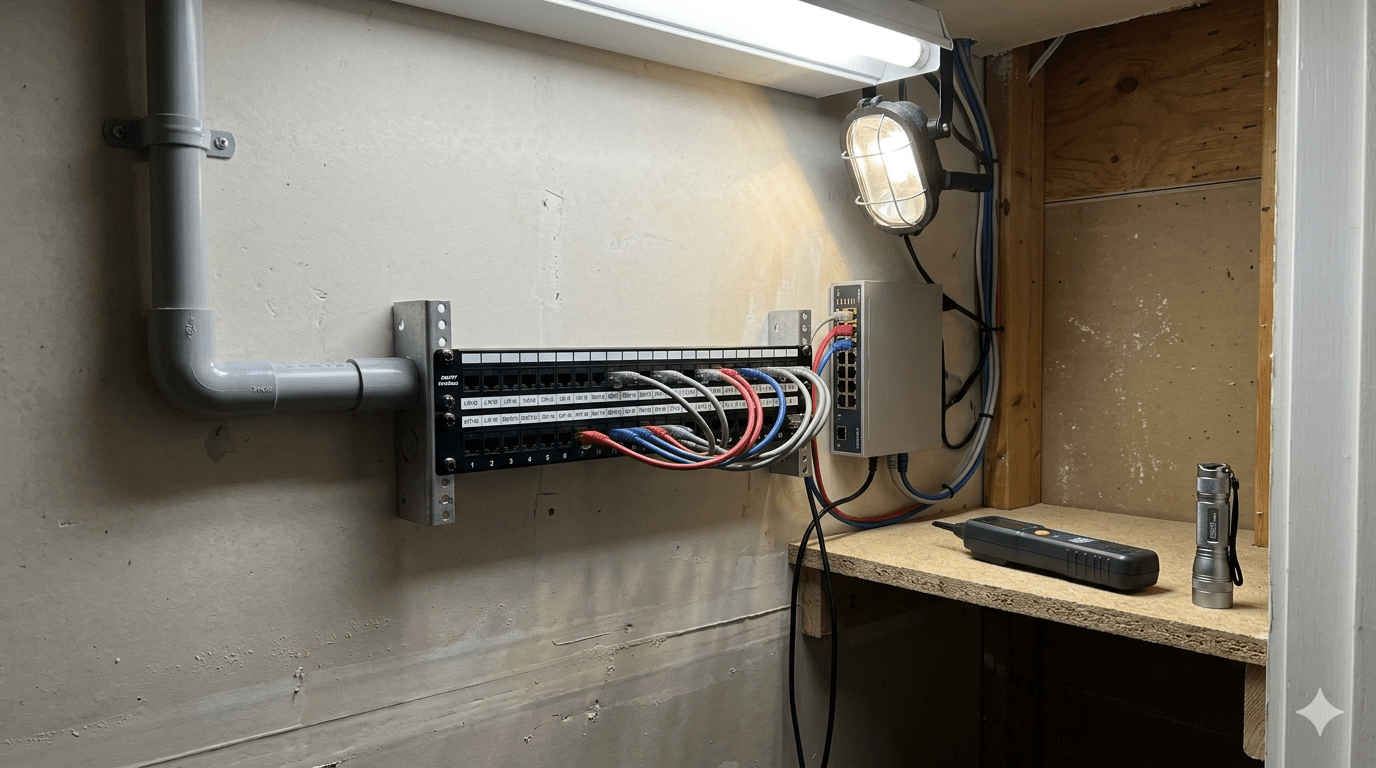 IMAGE: A neat home networking patch panel in a utility closet
Use-case answers — what to actually buy for your situation
Home theater or gaming room: Cat6. Modern consoles and gaming PCs increasingly ship with 2.5GbE adapters, and the generation after that will push further. One run done right is worth more than two runs done cheap.
Home office with a NAS or local server: Cat6, without hesitation. A 1Gbps link to a NAS is a real bottleneck when you’re transferring a 50GB video project or running a continuous backup. 2.5GbE and 10GbE NAS devices are mainstream now. The cable should keep up.
Smart home devices — thermostats, cameras, access points: Cat5e is fine here. These devices top out at 100Mbps. You’re not leaving anything on the table with Cat5e at a doorbell camera. That said, if you’re already running Cat6 everywhere else, keep it consistent for the sake of your future self.
Small business or office wiring: Cat6 for every new structured cabling run. The incremental cost is negligible at scale, and business networks are statistically more likely to see 2.5GbE or 10GbE infrastructure upgrades within the cable’s lifetime.
Replacing a single damaged run in an existing installation: Match whatever’s already there, unless you’re doing a broader upgrade at the same time.
The termination mistake that makes the cable choice irrelevant
Here’s something that doesn’t get said enough in these comparisons: a Cat6 cable terminated sloppily will perform worse than a properly terminated Cat5e run. The standard means nothing if the execution is poor.
The main culprit is pair untwisting at termination points. The TIA-568 specification allows a maximum of half an inch of untwisted pair at the keystone or plug. Exceeding that — which is easy to do when you’re rushing through a 24-port patch panel at the end of a long day — directly degrades the crosstalk rejection that Cat6’s spline was designed to provide. Use a proper punch-down tool. Keep the untwisted length as short as possible. Test your runs with a cable tester before closing up the wall. A $30 cable tester will save you hours of debugging a flapping link that traces back to a bad termination on port 14.
What most people miss is that the cable is one variable in a chain. An improperly terminated keystone, a cheap switch with a poor backplane, or a NIC that auto-negotiates down — any of these will erase the performance advantage you pulled cable for in the first place.
 IMAGE: Hands terminating a Cat6 keystone jack
So which cable should you actually pull?
For any new run — in a home, a home office, a small business, or a detached outbuilding — pull Cat6. The price difference is real and small. The termination process is essentially identical. And the argument for future-proofing isn’t abstract: the devices that will use those runs five years from now already exist today, and most of them exceed what Cat5e can carry.
The cable in your walls is the one decision in your network that you don’t get to revisit cheaply. Everything else — the switch, the router, the NIC, the access point — gets swapped on a cycle. The cable stays. Spend the extra $0.12 a foot and make sure it’s the last time you have to think about this cat5e vs cat6 question.
Want to go further? If you’re wiring a home lab or small office from scratch, read our guide to structured cabling tools — what’s actually worth buying, including which cable testers are worth the money and which patch panels hold up over time. Or subscribe below for more networking, home lab, and IT infrastructure guides delivered without the filler.